
How to Use Microsoft SMB for OS Detection
The Study of Different Approaches from 4 Well-Known Vendors You may wonder “how does a blackbox penetration test tool know about my server information when it only has the server’s IP address?” The secret is a protocol, such as Sever Message Block (SMB), discloses that information in the response to your special requests. In our …
The Study of Different Approaches from 4 Well-Known Vendors
You may wonder “how does a blackbox penetration test tool know about my server information when it only has the server’s IP address?” The secret is a protocol, such as Sever Message Block (SMB), discloses that information in the response to your special requests.
In our last blog, we talked about the essential role that SMB plays in Operating System (OS) fingerprint recognition. In this blog, we will review how different vendors use SMB, and the pros and cons of each approach; and in the end, we summarize them into a few principles to follow in order to get an accurate OS recognition.
1. Nmap
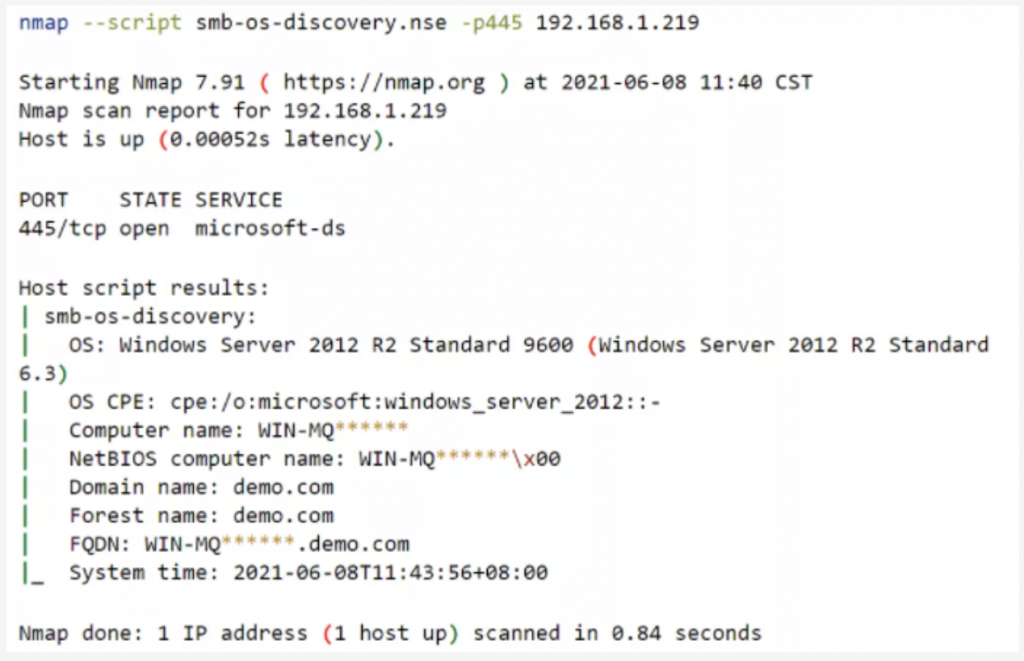
First, let’s look at Nmap’s approach. Nmap basically uses “nse script – nmap/scripts/smb-os-discovery.nse” to realize this function. Its method is shown as follows:
Or use the following commands to achieve the same result:
However, it has been confirmed that this approach with “smb-os-discovery.nse” cannot recognize OS of Windows Server 2016 and above. In addition, it cannot detect hosts that only support SMBv2.
2. Censys
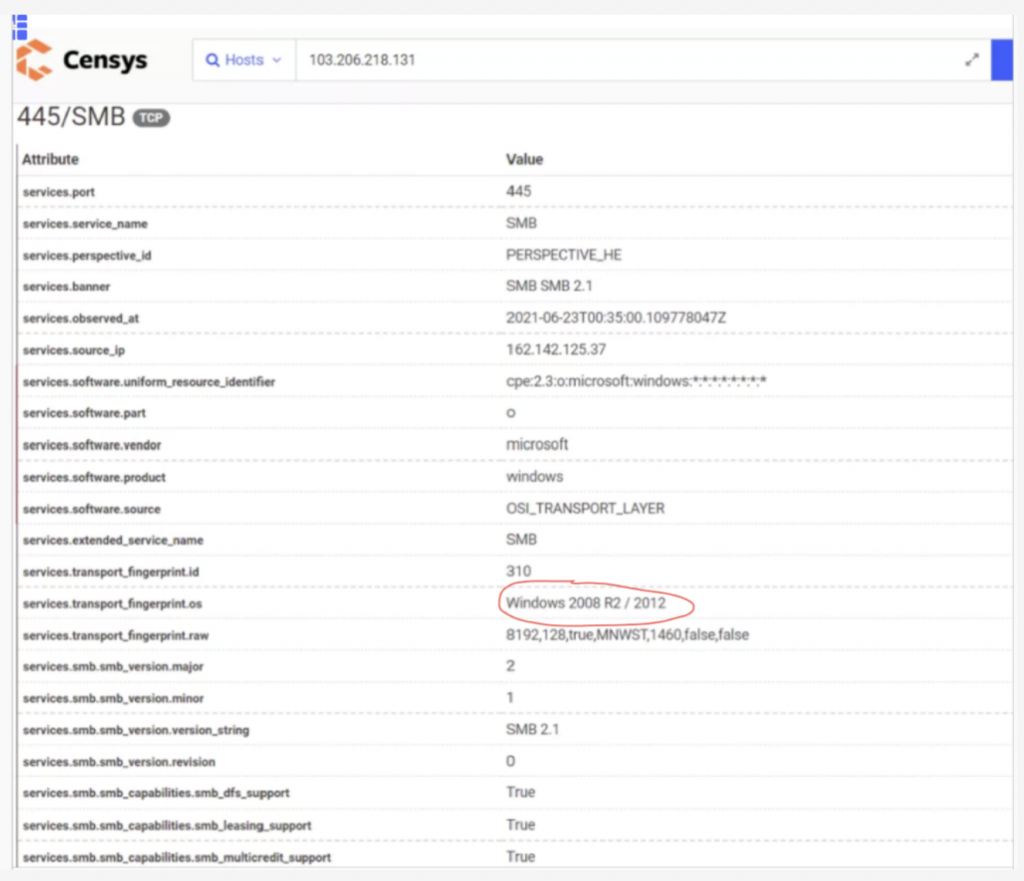
Most likely Censys uses Nmap -sV option to detect SMB OS. After carefully examining Censys’s response to our test machine, we tend to get this conclusion. Due to the same flaw, it falsely detected our test machine Windows Server 2016 as Windows Server 2008 R2 -2012 microsoft -ds. (see Figure 1)
Figure 1: Censys’s OS Fingerprint Recognition via SMBv2.1
3. Shodan
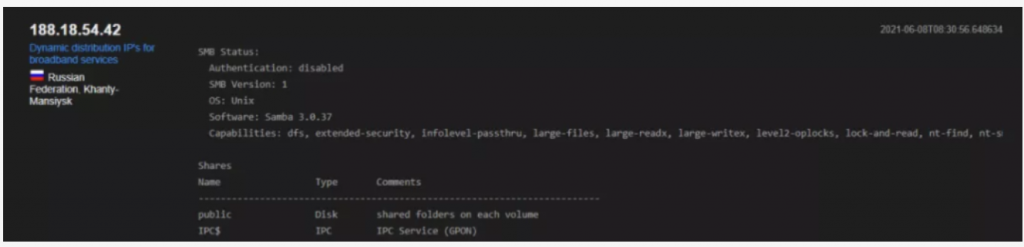
We reviewed Shodan’s OS recognition with SMBv1 (Figure 2) and SMBv2(Figure 3), and found that Shodan uses its priorietary approach to deal with OS regconition, and it scanned the common directory which is considered more intrusive scanning.
Figure 2: Shodan’s OS Recognition with SMB v1
Figure 3: Shodan’s OS Recognition with SMB v2
It’s worth mentioning that by using the following fields:
- OS: corresponding to NativeOS Microsoft defined in SMB protocol
- Software: corresponding to NaveLanMan in SMB protocol
The target’s OS can be determined by combining the information obtained from these two fields.
- Example 1: Test machine is Windows Server 2016
- Native OS field: Windows Server 2016 Datacenter 14393
- NativeLanMan field: Windows Server 2016 Datacenter 6.3
- Example 2: Test machine is Ubuntu
- Native OS field: Windows 6.1
- NativeLanMan: Samba 4.3.1-Ubuntu
In example 2, NativeLanMan shows correct information and Native OS presented a false recognition.
4. Metasploit
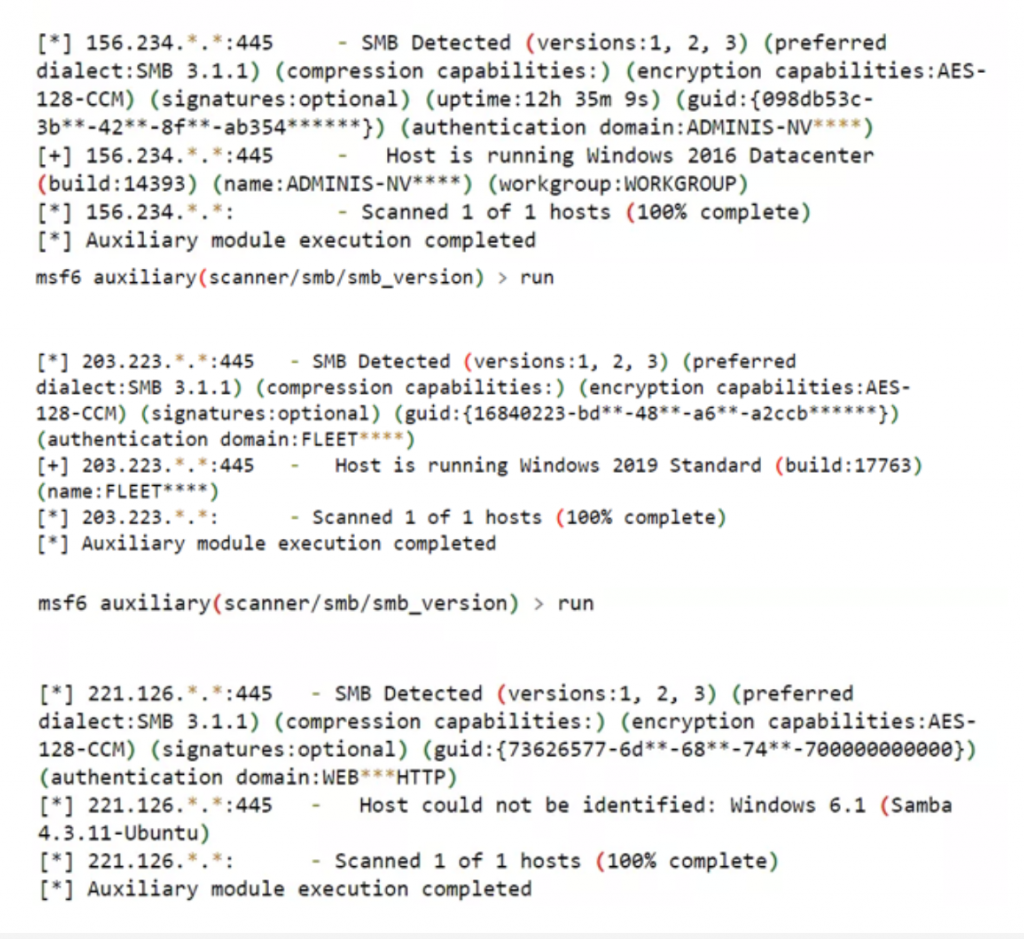
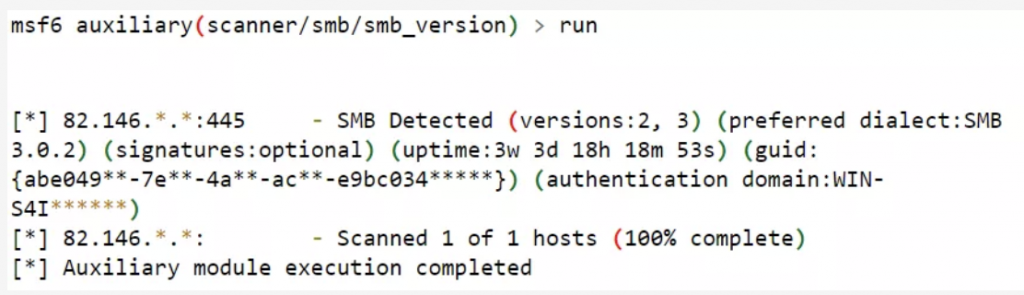
MSF uses “auxiliary/scanner/smb/smb_version” module to detect SMB OS. The test shows its accuracy is as good as Shodan’s. Figure 4 is MSF’s export of OS information via SMB:
Figure 4: MSF’s export of OS information via SMB
And when tested with a target that supports SMBv2 only, MSF shows relative comprehensive analysis, as shown below.
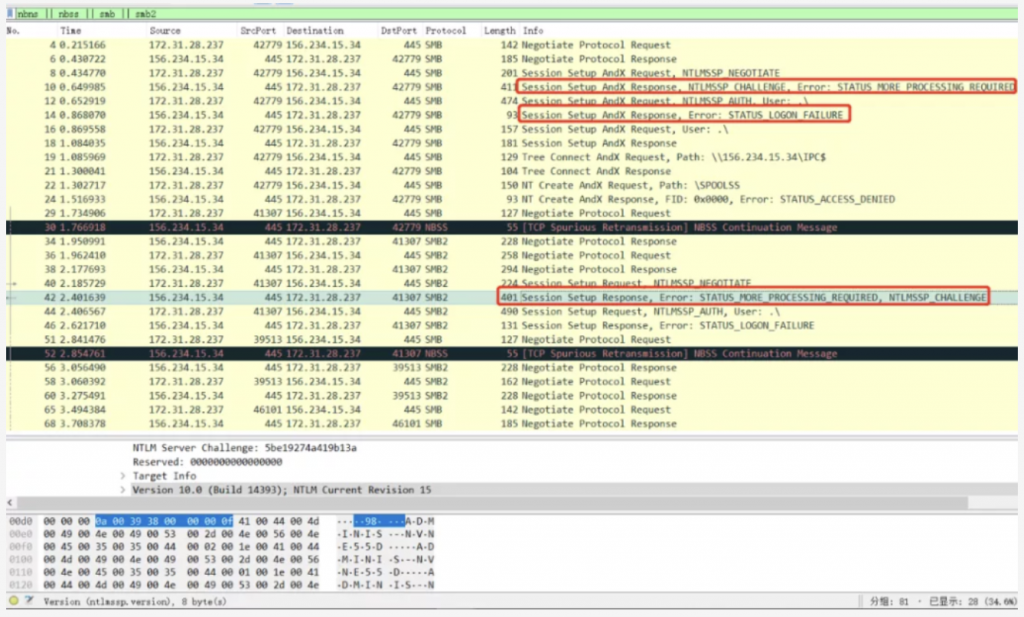
And for SMBv1 detection, MSF basically sends a request such as “Session Setup AndX Request, NTLMSSP_NEGOTIATE”. And from the packet capture showed in Figure 5, MSF also scanned the common directory.
Source: ridgesecurity.ai
View more post: nessar.net
Related articles
Redis chính thức trở thành công cụ lưu trữ dữ liệu số 1 cho AI Agent
Built for devs. Trusted by devs. Báo cáo Stack Overflow Developer Survey 2025 vừa công bố đã khẳng…
Read article ↗
It’s official: Redis is the #1 AI agent data storage tool
Built for devs. Trusted by devs. The 2025 Stack Overflow Developer Survey is out, and devs worldwide have spoken. They…
Read article ↗
Data – The Foundation for National Digital Transformation and the Strategy for the Fourth Industrial Revolution
Data – The Foundation for National Digital Transformation and the Strategy for the Fourth Industrial Revolution Hanoi, August…
Read article ↗
Dữ liệu – Nền tảng phát triển chuyển đổi số quốc gia và chiến lược quốc gia về cách mạng công nghiệp 4.0
Dữ liệu – Nền tảng phát triển chuyển đổi số quốc gia và chiến lược quốc gia về…
Read article ↗Turn technology into business value.
Connect with Nessar experts to discuss architecture, implementation and the right roadmap for your organization.